

Thanks to Interban and its Foro Profesional de Cloud (Professional Cloud Forum), I had to analyse everything I do in the cloud today.
In recent years, at every company I’ve passed through, I’ve tried to evangelise about the advantages of keeping certain content in the cloud. Let’s get started.
Some advantages:
- Quick to learn. Cloud tools are mostly simple to use, with usability above all: similar tools, similar mechanics, so if you can handle one you can handle them all.
- Cost. Undoubtedly one of the most decisive factors for moving to the cloud. There are many tools that are free or low-cost depending on the number of users, and updates are continuous without you having to pay for them.
- Tutorials. Because they’re cheaper, you almost always have to learn by yourself, but you can find good tutorials, whether official ones or ones produced by other users.
- Always accessible. As long as you have an internet connection, of course. But being able to access any kind of information from a mobile or from my home PC has got me out of a tight spot more than once. It’s that easy.
- The most powerful tools within your reach. You can use the same powerful tools that large corporations work with, even if you’re an entrepreneur or an SME.
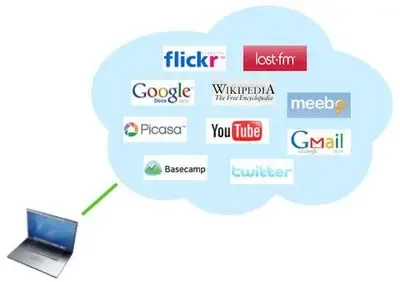
The basic tools:
– Email. If we started with Hotmail and then moved to Gmail, why not move to Google Apps for your company email, as well as sharing documents with your team, calendars, pages, groups and more? It’s fast, secure and its capacity is very hard to beat.
– Accounting/Finance. From invoicing your customers with facturadirecta.com to keeping the day-to-day accounts, payroll and tax payments with tugestionline.com or Sage. The latest thing they’ve brought out is SAGE One, designed especially for startups.
– CRM. Something you can’t do without if you manage customers. You need to know when you last spoke to your customer, through which channel, how much you invoice them or what business opportunities you have open. The range is endless, from Salesforce, Zoho and Sugar CRM to Insightly, which works brilliantly with Google Apps.
– Project management. If it’s your company’s core business and you have several external collaborators, it’s key that you use these tools. You can follow everything that happens day to day in real time, who is responsible, Gantt charts, etc. From Memoranda, RedMine, Trac and Trello to Wrike, which is the one I use.
– Photos. If you sell a product you’ll need to show it, but you can also upload photos of the events you organise at your company, your team, your premises, your logo, etc. There’s plenty of choice, but the best are Instagram, Picasa and Flickr.
– Video. As with photos, if you want to show the world everything you can do, your events or your products, it’s better with a video. From the classic YouTube, which you can customise, to Vimeo.
– Social networks. They’re all a loudspeaker for telling people what’s happening at your company. You have the purely social ones such as Facebook or Twitter, and professional ones such as LinkedIn. Make the most of all their potential, always with a communication strategy behind it, the right tone, a carefully looked-after corporate image and, above all, consistency in your communication and in how quickly you respond to users. Create different pages for each business line or product if necessary, and check the statistics regularly.
Good luck, and see you in the cloud!!
Categories