
 Without a doubt, the best moment once you have your company is landing your first customer and issuing your first invoice.
But until that moment arrives, a lot will happen along the way, and you have to be methodical in every step you take and have the basic technical resources in place.
Whether you’re self-employed or a business owner, the invoice is another element that conveys the image of your personal brand or company.
Of course, forget the typical invoice knocked up in a simple Word document: forbidden! There are several free invoicing solutions in the cloud, or some at a very reasonable cost, such as SAGE One.
The life cycle of an invoice
Because you’re a professional and you get out there, make yourself known and do your networking, one day out of the blue a potential customer will give you the chance to meet them or tell them how you can help.
After the first meeting or initial contact, gathering information and analysing your potential customer’s needs will be key to sending them the right proposal or quote.
From SAGE One, for example, you can register this new prospect and send them that first quote directly from the application, or a pro forma invoice if they ask for one.
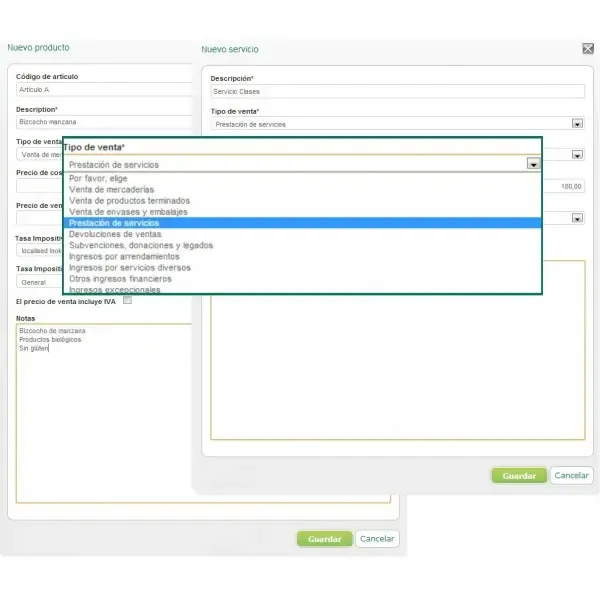
Don’t settle for the default template: customise it with your logo, your tax ID number, contact details, tax details and company registration details at the foot of the page.
Make the quote as detailed as possible so that your customer is left in no doubt: break down every aspect of the product or service and what it includes. Use simple, understandable language and show the amounts you’re going to invoice.
So that you don’t miss a single business opportunity, register every prospect you get in your CRM or customer database. That way, if they become a customer it’ll be much easier, and you’ll also have a sales forecast.
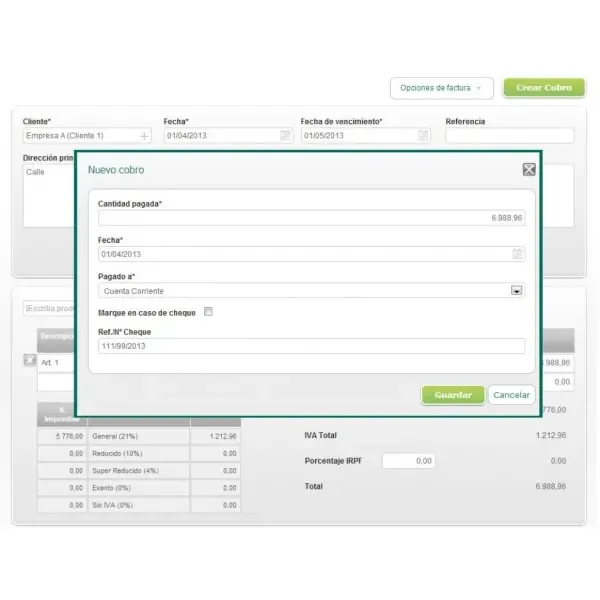
As soon as a customer gives me the OK on a quote, I don’t wait a minute before asking them for their full billing details and the contact person to send the invoice to, so that it doesn’t get lost along the way or come back because of incomplete details. This is a fairly common mistake.
Find out exactly what your customer’s usual payment term is: on receipt of invoice (which would be a real stroke of luck), 30, 60 or more days. This lets you include it in the customer’s details and on their invoice, which will alert you to how many days are left until it falls due. You’ll know what cash you have at any given moment. SAGE One, or any other solution, will add up the amounts collected and outstanding for you, and apply the correct VAT and other expenses.
Even if it’s very awkward, don’t be shy about chasing payment if more than 7 days have passed since the expected payment date: it’s your money and you’ve done your job. First, resend the invoice by email, even to two different people at your client company, so there’s no excuse that they didn’t receive it.
As soon as you receive the payment in your bank, change the status of the invoice in your system so you have an up-to-date picture of your cash position. You can also redo the invoice, issue a credit note or cancel it very easily.
Check your dashboard regularly to know the status of collections and payments, and don’t leave any data out: you want a true picture of your balance sheet. Don’t rely on a simple Excel spreadsheet to run your company day to day. You need to know your company’s situation at all times, and with the right tool you’ll be able to see how it’s evolving and make financial forecasts.
Not only will you give your customers a professional image, you’ll also have a very easy-to-use tool in the cloud where you can reuse previous invoices, edit them and send them again, and save templates for quotes and offers so you can respond to your customer more quickly.
Another added advantage is SAGE’s previous experience with ContaPlus, FacturaPlus and NominaPlus, so if you grow, or you have an accountancy firm that keeps your books, it’ll be very easy to export and share the data.
Time to start invoicing, then.
Categories